Reports you can verify, answers that show their sources, and editions of your own.
Athena AI is designed to ensure that every figure, cited passage, and interpretation in a company report clearly indicates its source, right down to the specific line in the filing. It is offered on its own today and will also be part of Trade Matrix Terminal.

Draft · review required Sample report prepared for the demo. A linked figure open at its filing line. Not investment advice.
What Athena AI does.
Report
Reports you can check figure by figure, down to the line in the filing. In the demo
Collage
Your own edition of a report, changed version by version. In the demo
Ask Agent
An agent that answers from the report, and says so when the report cannot. In the demo
Markets
Scheduled events on one calendar: FOMC, CPI, PPI, jobs, GDP and major filings. In development
Portfolio
The quarterly 13F holdings of funds, well-known investors and pension funds. In development
Corpus
Athena's own database, built filing by filing: each filed figure with its source, and the filing text with each passage in its place. In development
Agents write and answer. Calculations are exact and checked. The data comes from the filings.
See it in four minutes.
A walk through the demo: a report read, checked against its filing and changed into an edition of your own.
 Play the demo film (3:59)
01Report
A report made to be checked, and to be understood.
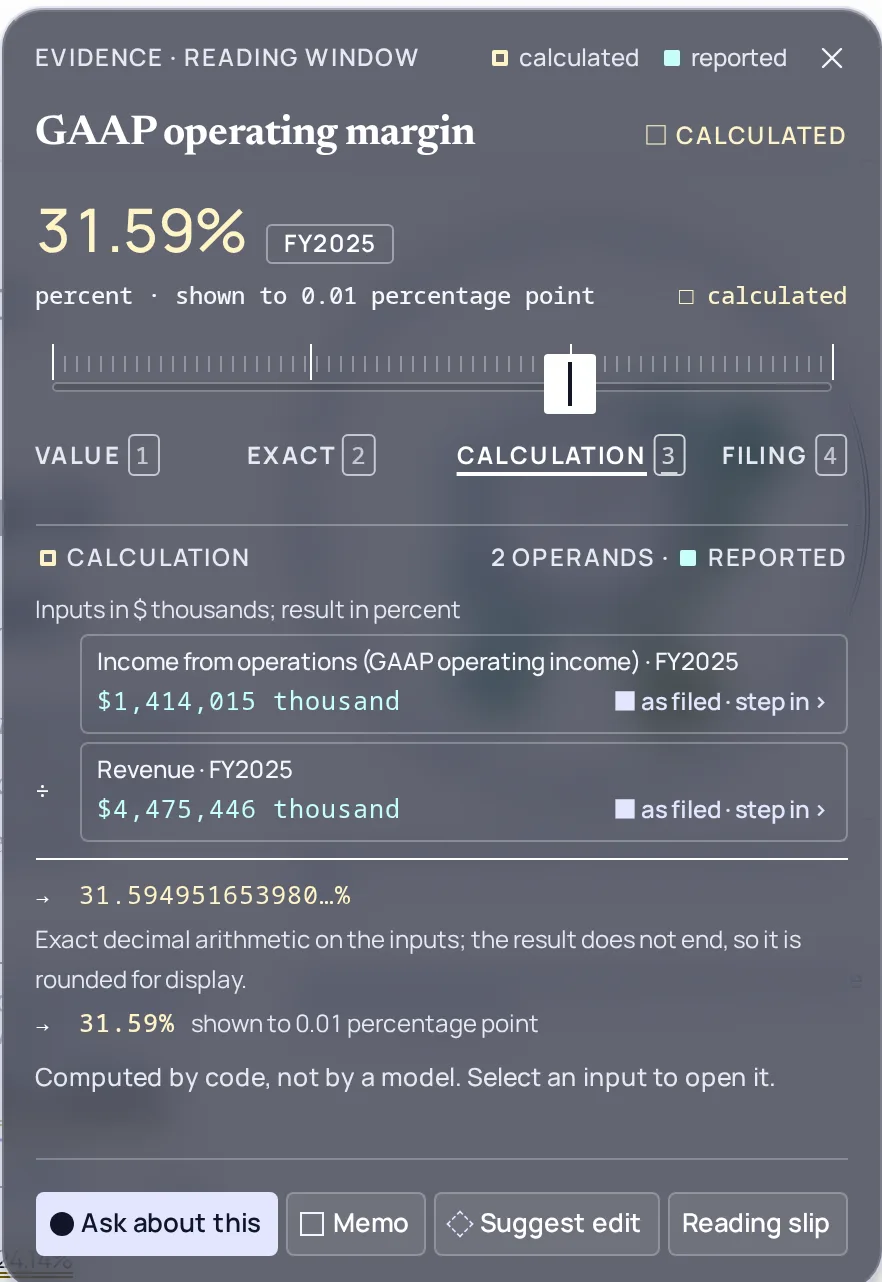
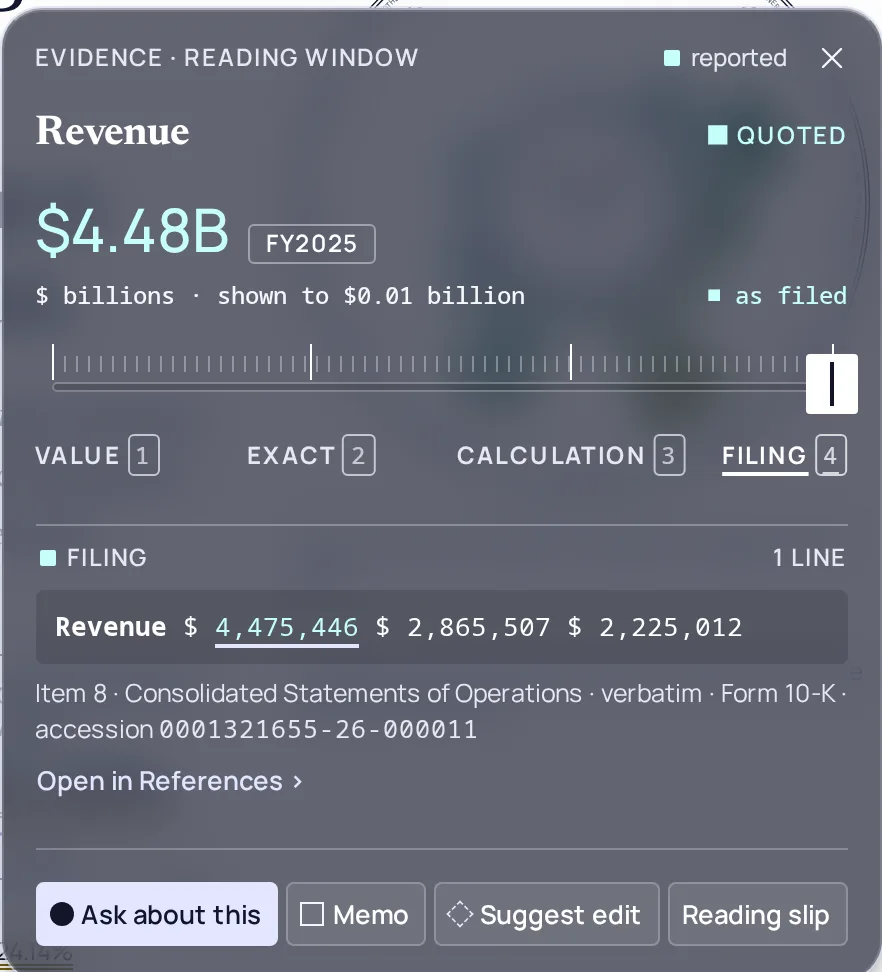
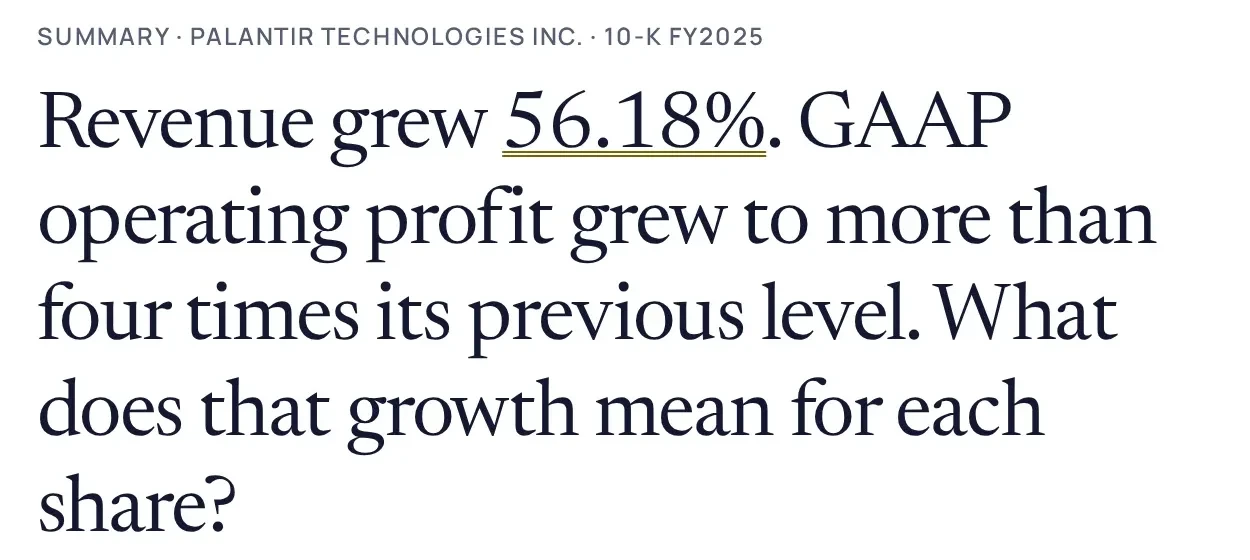
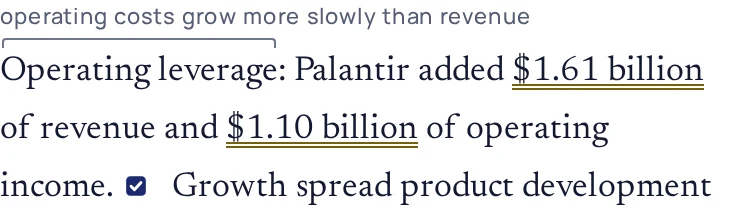
Athena Report has a format of its own, built so that professional company analysis is within everyone's reach. Its structure is designed for a systematic reading of the filing, so the key point of each chapter is easy to find and understand. Each chapter opens with the question it answers and its key point. Our own Figures turn the data into visuals that help you understand it. Select an underlined number and Evidence shows the displayed Value, the Exact value, the Calculation and the line in the Filing.


In the demo the sample report and its format Being built reports from new filings
Sample report prepared for the demo.
Not only the numbers: the words, their context, and how they are understood.
A general AI gives you fluent text, but it may not show where that text came from, may get the details wrong, or may give information without a clear source. Athena AI is being built to solve this with specialized, native agents. Athena's agents are designed to read, write and answer through Athena Corpus, and each part of the analysis keeps its own trail back to the filing.
Figures
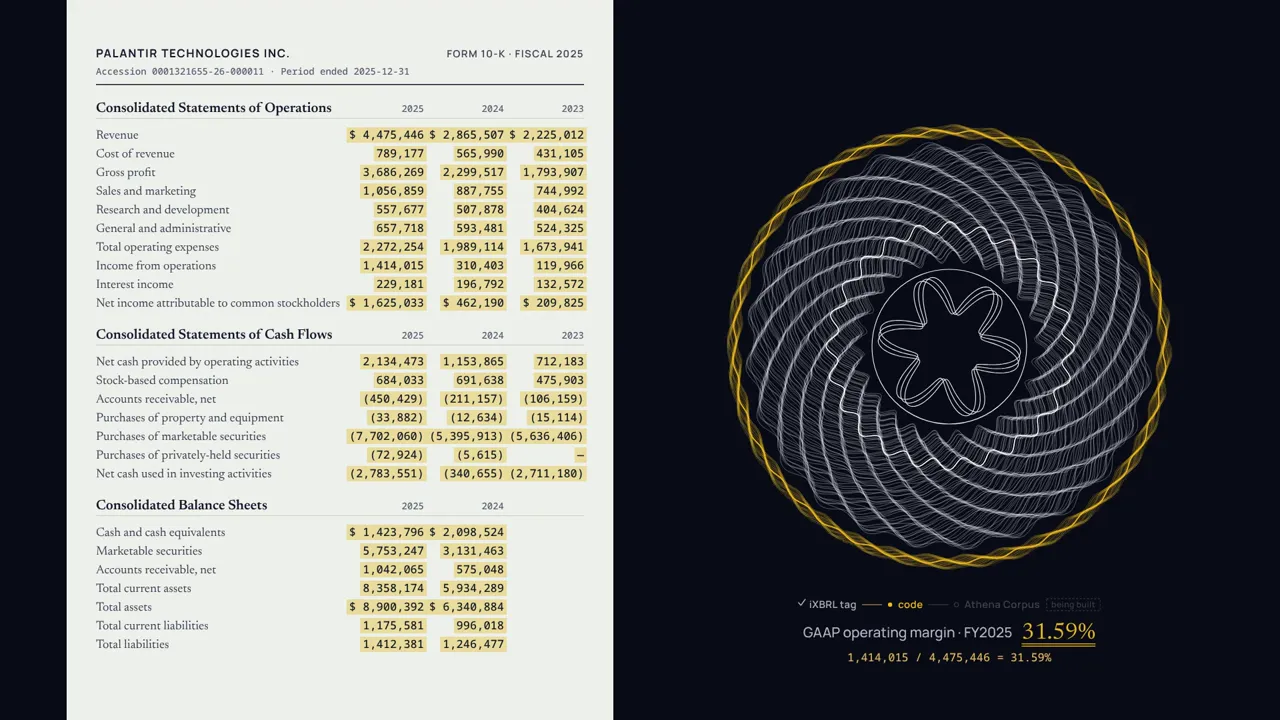
Taken from the filing's own tagged data (iXBRL). Code computes each derived figure and re-checks it against the filing before it is shown.
In the demo linked-figure checks Being built filing database
Passages
Athena Corpus keeps each filing's own text, section by section, with its exact place in the filing, so a cited passage can be traced back to it.
Being built Athena Corpus
Reading
A decision model is designed to check what each passage actually says, and who says it, before it is used in the analysis.
Goal not in the demo
Interpretations
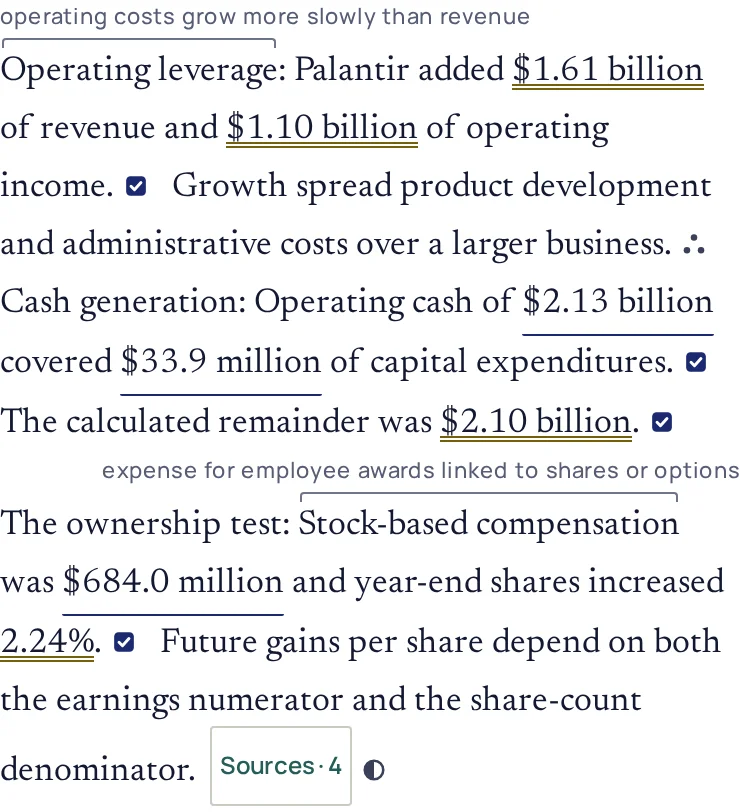
In the demo, marks after each sentence name its basis: Code-checked, Cited passage, Inference, Judgment, Not disclosed or No record. The status guide says what code checked and what it did not. Athena never calls an interpretation verified.
In the demo how marks are shown
More ways to read.
Easy Read
Explanations rewritten in plain words, using the same facts. Figures, tables and quotations keep their original wording.
Term notes
Short notes on financial terms, on by default.

Memo
Notes on any sentence, seen only by you and kept in your browser.
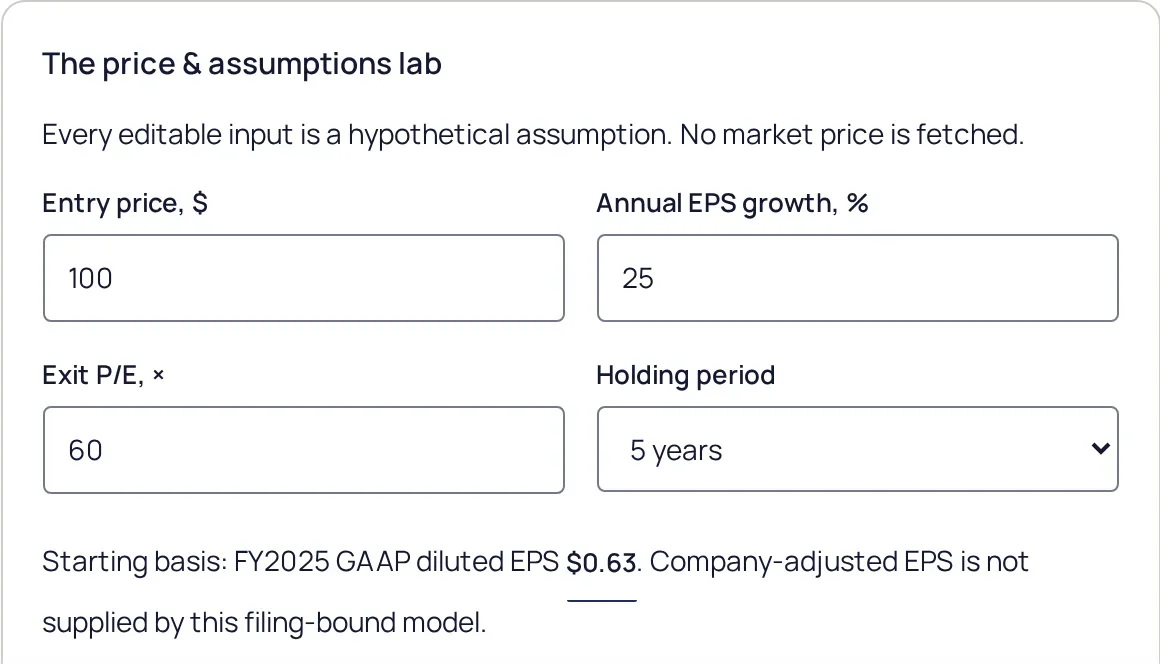
Valuation lab
What a share price assumes, under growth and multiple assumptions you set. Not a price target or a recommendation.
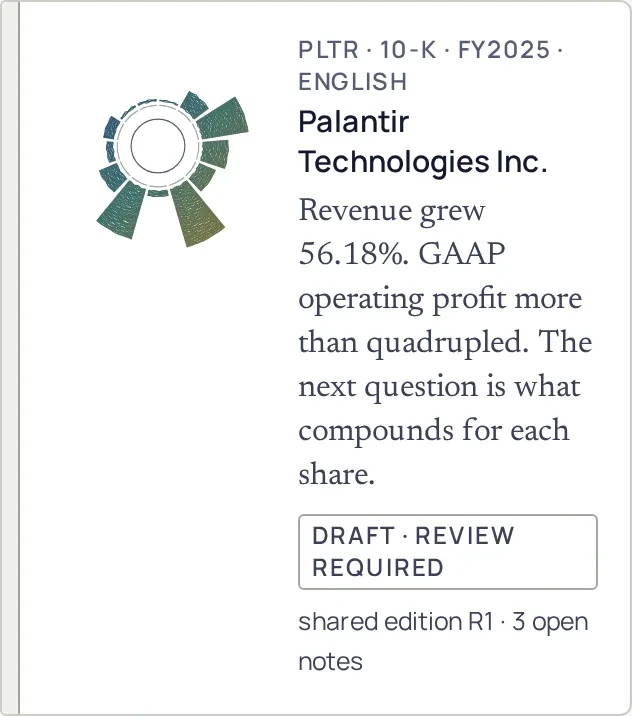
Library
Your reports and editions in one place.
SEC filings, read in Korean.
The same report and the same Evidence, in Korean. Labels follow K-IFRS usage, with the English term in parentheses where a U.S. term has no settled Korean equivalent. Figures stay exactly as filed under US GAAP. Easy Read, Term notes, memos, Valuation lab, Markets and Library work the same way in both languages.
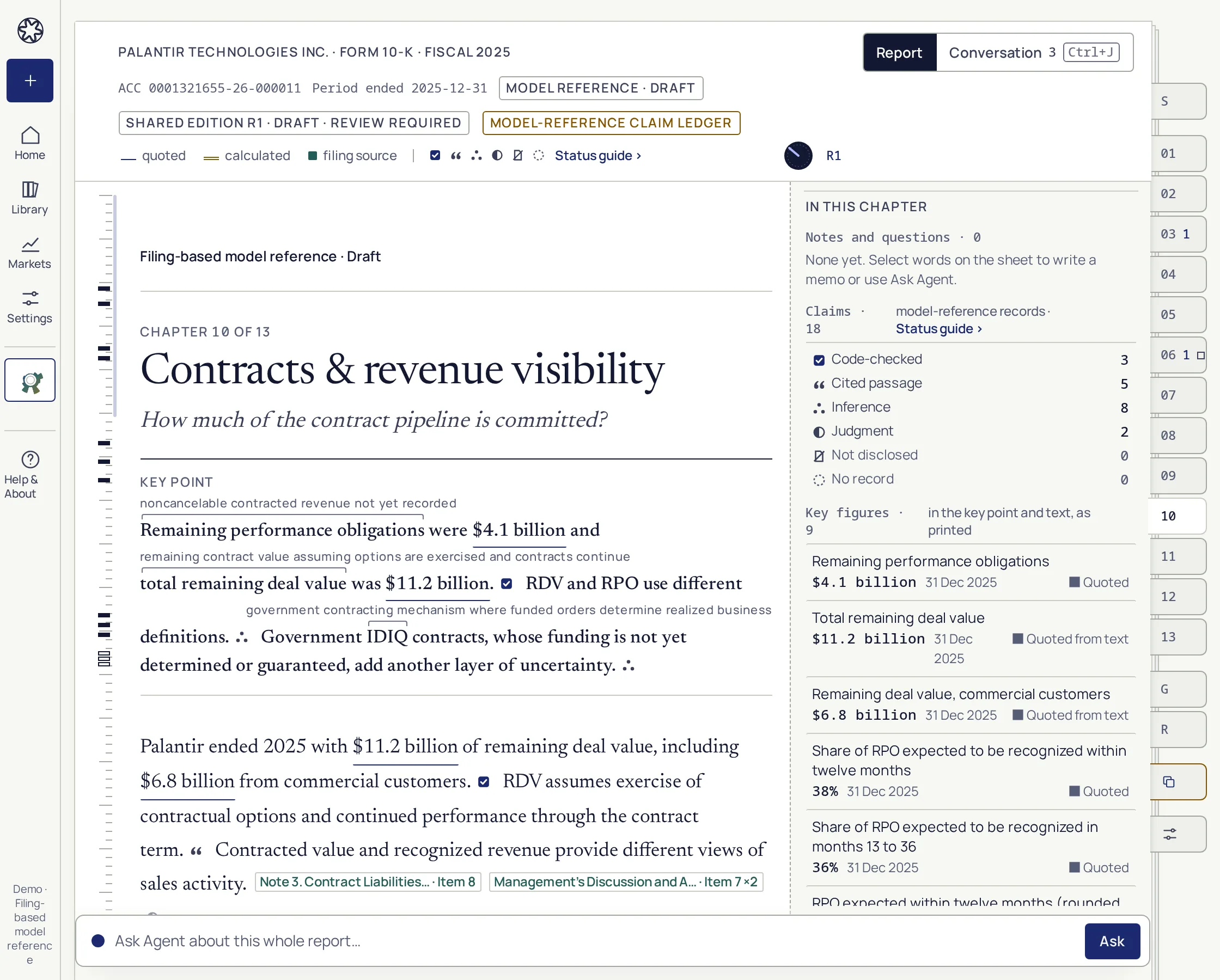
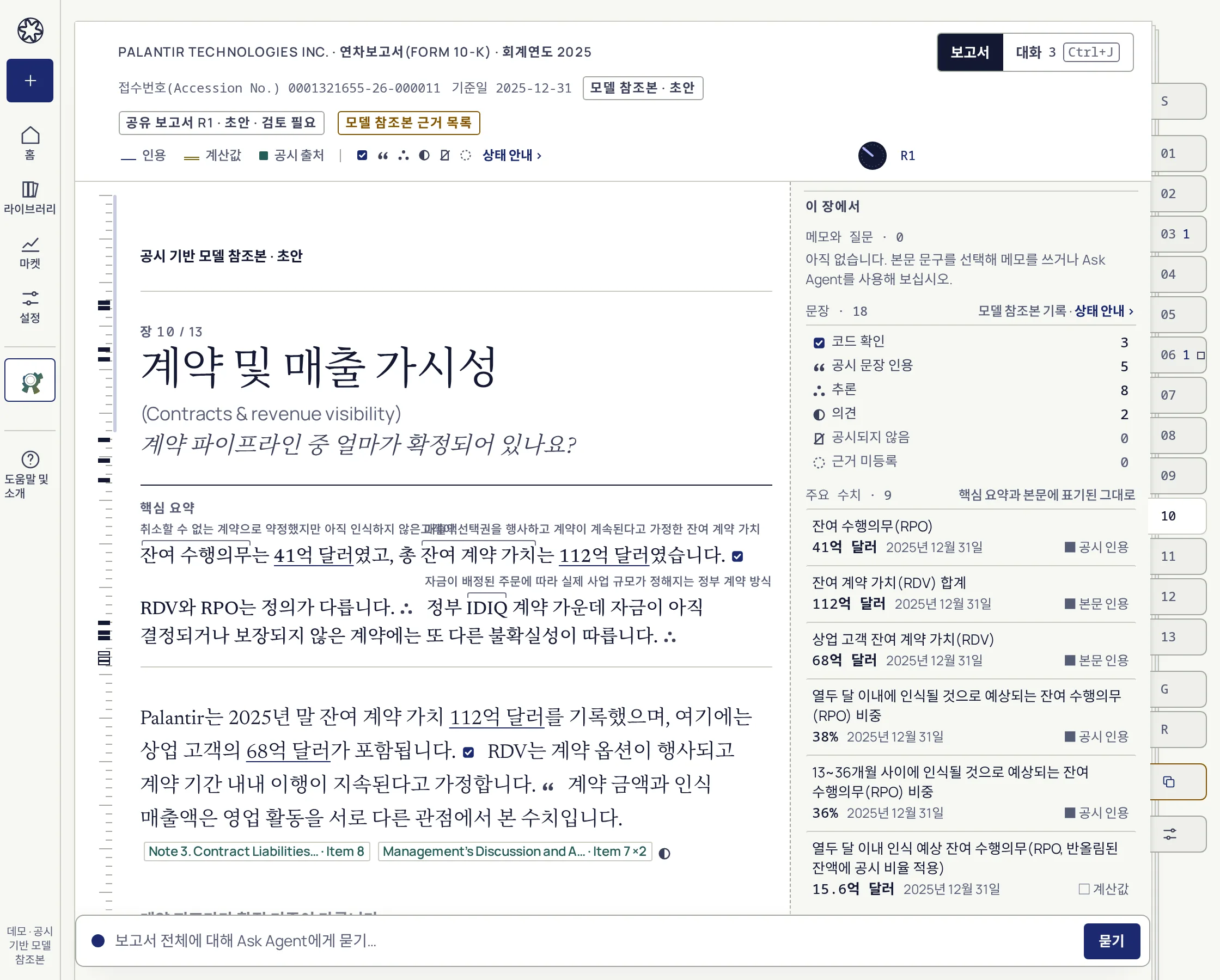
In the demo the Korean edition Goal more languages
More languages and markets are our goal.
02Collage
Your own analysis report, made with Athena AI. Every figure keeps its source.
Collage combines a report's Figures, its cited passages and other sources into an edition of your own. The saved example in the demo shows what that takes:


Partial changes
In the demo beta, a prepared example
The six versions of the demo's example, and the request that made each. After the copy, each version changes one figure, paragraph or section.
- v1 · Copy of the report · v1 is the shared edition R1 as you read it, copied with nothing rewritten.
- v2 · View change · Your request: “Show the margins chart in chapter 03 as a table.”
- v3 · Rewrite in chapter 03 · Your request: “Rewrite the margin paragraph in chapter 03 to say what drove it.”
- v4 · Extension · Your request: “How much cash did they keep, and what is on the balance sheet?”
- v5 · Extension across reports · Your request: “Compare this report with Microsoft FY2025.”
- v6 · Extension across reports · Your request: “Show Microsoft over five years.”
Across reports
In the demo prepared examples, no live agent run
Ask for a comparison with another company, or for one company over five years. The answer comes back in report form: a headline, its question, the source reports, and sections with their sources.


Whole-report change
Goal
Ask for a new edition of the whole report, for example rewritten for a first-time reader or rebuilt around one question. It keeps the Report layout, its Figures and their sources, and the Report Agent rewrites the content. Not in the demo yet.
- Kept: the cover question and key point, the chapters, Figures with their Evidence, the version bar.
- New: Show changes marks each chapter the edition changed.
Across reports, every Figure says how it was made: its source reports, its periods, and which values were reported and which calculated. When two companies' fiscal years cover different months, the comparison says so.
The shared report never changes. The demo's six versions are a prepared example. Goal · Collage on Athena's checked reports, with a specialized report agent.
How a report is made.
Writing and checking are separate jobs.
- The filingA company's annual report, as filed with the SEC.
- Figures and text, keptThe filing's tagged figures go into the filing database; its text goes into Athena Corpus, each passage in its place.Being built
- Passages, read firstA decision model checks what each passage says before it is used.Being built
- Agents writeSpecialized agents write the report from those figures and passages.Being built
- Code checksA failed check stops delivery, and nothing is partially saved.
- Saved editionsAn edition is saved once and never overwritten. A change makes a new version.
- YouRead, open figures, ask questions and build your own edition.
What is live today and what comes next is on the Progress page.
03Ask Agent
Ask the questions you have. See what each answer rests on.
Ask Agent is built to answer from the report, cite the passages it used, check its amounts against them, and say so when the report cannot answer. Ask for a change and it goes to your own edition; the shared report stays unchanged.


In the demo pre-written answers Being built live answers
In the app: Ask Agent. Demo answers are pre-written examples.
Its answers are marked as AI and can be wrong.
04Markets
Scheduled events, not tickers.
Markets follows FOMC decisions, CPI, PPI, jobs, GDP and major filings on one calendar, from the official BLS, BEA, Federal Reserve and SEC calendars. Follow a series and it stays in view.
In development


Screens from the demo. Dates are sample dates, as of 17 Nov 2026; nothing is fetched live. Not investment advice.
05Portfolio
What funds and investors hold.
Portfolio tracks the quarterly 13F holdings of hedge funds, well-known investors, asset managers and pension funds such as the NPS. Compare quarters and see who holds a stock. The goal is to build your own portfolio.
In development


Screens from the demo, with sample dates as of 17 Nov 2026. Filer data is public SEC 13F data; sample rows are labelled SAMPLE. Not investment advice.
06Corpus

Illustration. The order shows direction, not a schedule.
Every filing adds more data.
We start with SEC filings. Our goal is more filing types, markets, languages and data.
Behind every report, Athena is building its own database, filing by filing: each filed figure with its period, unit, precision and source, and, in Athena Corpus, the filing's own text with each passage in its place. What is checked once can be used again in reports, answers and editions.
- In the demo
One sample report, in English and Korean.
- Being built
Reports from new filings, the filing database and Athena Corpus, covering more companies and years. A decision model that reads each passage before it is used.
- Next
More SEC filing types.
- Goal
More markets, languages and data, at a cost anyone can afford.
Athena is the first product of Trade Matrix Terminal, the AI financial service we are building. It also stands on its own.
Structure only, not a product screen.